

Use a firewall to block unwanted traffic and an IDS to catch suspicious activity that slips through; treating them as rivals leaves dangerous gaps. A firewall is your control point. An IDS is your alarm system. Both matter because the average cost of a data breach reached $4.88 million in 2024 [source: IBM].
TLDR: A firewall prevents unauthorized connections based on rules, while an IDS watches traffic and alerts your team when behavior looks suspicious. For example, a 75-person company might block 30,000 unwanted connection attempts per week with a firewall, but still rely on IDS alerts to catch one infected laptop calling out to a command server. Firewalls reduce exposure; IDS tools reduce detection time. The strongest setup uses both, tuned carefully, reviewed often, and tied to a clear response plan.
Firewall vs IDS: The Practical Difference
A firewall sits at the edge of a network, inside a cloud environment, or on an endpoint. It decides what traffic is allowed or denied. The decision is based on rules such as IP address, port, protocol, application, identity, location, or device posture.
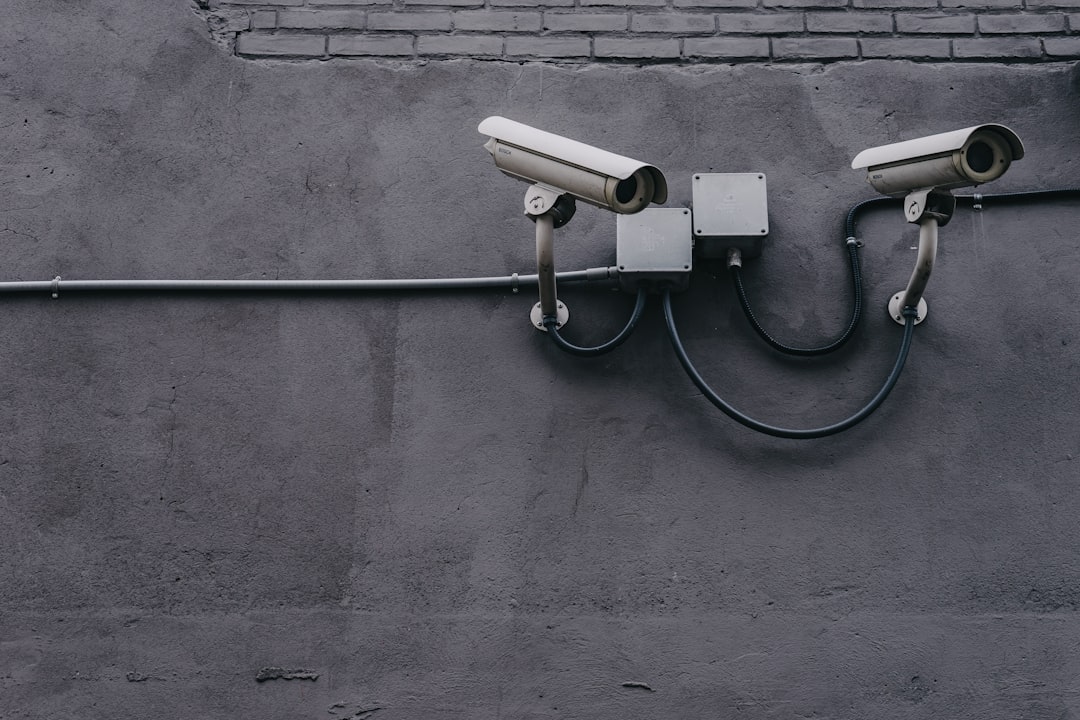
An Intrusion Detection System, or IDS, does not usually block traffic by itself. It inspects network activity and raises alerts when it sees known attack patterns or unusual behavior. Think of it as a security camera with analytics. It sees what is happening and tells you when something looks wrong.
The catch is that both tools can give a false sense of safety. A firewall with sloppy rules becomes a very expensive switch. An IDS with noisy alerts becomes email spam for analysts. Expect to waste time on both if nobody owns rule cleanup, alert review, and incident follow-up.
What a Firewall Does Best
A firewall is best at access control. It answers a simple question: should this connection be allowed? That makes it essential for reducing the attack surface.
- Blocks unwanted inbound traffic: It can stop scans, probes, and direct access attempts before they reach internal systems.
- Controls outbound traffic: It can stop users or malware from reaching risky destinations.
- Segments networks: It can separate guest WiFi, finance systems, development servers, and production services.
- Supports compliance: Firewall rules help prove that sensitive systems are not open to everyone.
- Enforces zero trust policies: Modern firewalls can use identity, device status, and application context.
For most organizations, the firewall is the first technical control auditors ask about. It is also one of the first places attackers test. If remote desktop, database ports, or admin consoles are exposed to the internet, attackers will find them. Usually faster than your team expects.
What an IDS Does Best
An IDS is best at visibility and detection. It answers a different question: does this traffic suggest abuse, compromise, or policy violation?
- Detects known attacks: Signature-based IDS tools can spot patterns linked to malware, exploits, and reconnaissance.
- Finds abnormal behavior: Anomaly-based detection can flag unusual traffic volumes, strange destinations, or odd protocol use.
- Supports investigations: IDS logs help analysts trace what happened before and after an alert.
- Improves response time: Good alerts can cut hours or days from detection.
- Spots internal threats: It can catch lateral movement between systems, not only traffic at the edge.
Honestly, it feels like many IDS deployments fail from neglect, not from weak technology. Alerts pile up. Nobody tunes signatures. Nobody documents why one database server suddenly talks to 40 new hosts. After a month, staff stop trusting the tool.
Firewall vs IDS: Key Comparison
| Control | Primary Role | Action | Best Use |
|---|---|---|---|
| Firewall | Prevention and access control | Allows or blocks traffic | Stopping unauthorized connections |
| IDS | Detection and alerting | Monitors and reports suspicious activity | Finding attacks, misuse, and compromise signs |
A firewall is usually inline, meaning traffic passes through it. If it fails or is misconfigured, traffic may be blocked or exposed. An IDS often receives a copy of traffic from a network tap or mirror port. That makes it safer to deploy, but it also means it may not stop the attack by itself.
There is also an IPS, or Intrusion Prevention System. It is close to IDS, but it can actively block traffic. Many modern security platforms combine firewall, IDS, and IPS features. Still, the roles remain different. Prevention, detection, and response each need clear ownership.

Best Practices for Firewall Protection
Firewall value depends on rule quality. A strong appliance with weak rules is still weak. Use these controls as a baseline:
- Use deny by default: Allow only approved traffic. Everything else should be blocked unless there is a business reason.
- Review rules every quarter: Remove expired vendor access, test rules, and broad temporary exceptions.
- Restrict admin access: Management interfaces should never be casually exposed to the public internet.
- Segment sensitive systems: Finance, HR, backups, and production systems should not share flat network access.
- Log allowed and denied traffic: Logs are useless if they are disabled, overwritten too quickly, or never reviewed.
- Use change control: Every new rule should have an owner, reason, approval, and expiration date when possible.
CISA also recommends restricting unnecessary services and reducing exposed attack paths as part of basic cyber hygiene [source: CISA].
Best Practices for IDS Protection
An IDS must produce alerts that humans can trust. Volume matters. Context matters more.
- Tune signatures: Disable irrelevant rules and prioritize threats that apply to your systems.
- Baseline normal traffic: Know what normal DNS, web, VPN, and database activity looks like before an incident.
- Send alerts to a SIEM: Correlate IDS alerts with firewall logs, endpoint events, identity logs, and cloud activity.
- Create response playbooks: Define who investigates, who isolates hosts, and who contacts leadership.
- Measure alert quality: Track false positives, true positives, mean time to detect, and mean time to respond.
- Cover internal traffic: Many attacks move sideways after the first compromised account or laptop.
A good target is not “more alerts.” A good target is fewer useless alerts and faster action on real ones. If analysts need 90 seconds just to understand what each alert means, the system is costing you focus.
How Firewalls and IDS Work Together
The best network protection uses both tools in layers. The firewall blocks the obvious and unauthorized traffic. The IDS watches for what still gets through, including stolen credentials, malware callbacks, insider misuse, and strange internal movement.
Here is a simple workflow:
- The firewall blocks direct access to a database from the internet.
- A user clicks a phishing link and installs malware.
- The malware uses allowed HTTPS traffic to contact an external server.
- The IDS sees unusual outbound behavior and raises an alert.
- The security team checks endpoint logs, isolates the laptop, and blocks the destination at the firewall.
This is why “firewall vs IDS” is the wrong framing for serious security. The better question is: which control handles which risk, and how do they share evidence?
Common Mistakes to Avoid
- Relying only on perimeter firewalls: Cloud apps, remote workers, and SaaS tools reduce the value of a single edge control.
- Ignoring outbound traffic: Many attacks need outbound access for command control, data theft, or payload downloads.
- Leaving IDS in alert only mode forever: If nobody investigates alerts, detection has little value.
- Using broad allow rules: “Any to any” rules should be rare, documented, and temporary.
- Keeping logs for too short a time: Many investigations need weeks or months of history.
Recommended Security Model
For small businesses, start with a managed firewall, endpoint protection, and basic IDS or managed detection service. For mid-size organizations, add network segmentation, SIEM integration, and formal incident response. For larger environments, use firewalls, IDS, IPS, endpoint detection, identity controls, and cloud monitoring together.
The serious answer is clear: firewalls reduce access risk, while IDS tools reduce detection risk. Use the firewall to enforce policy. Use IDS to see what policy missed. Then test both regularly, because attackers do not care how expensive the tools were. They care only whether your controls fail quietly.