
Few things are more frustrating for an online shopper than reaching checkout, entering card details, and seeing a payment refused. For Shopify merchants, declined credit card payments can mean abandoned carts, lost revenue, and confused customers asking, “Why won’t my card work?” The good news is that most payment refusals are not random. They usually happen because of identifiable issues involving banks, card networks, payment gateways, fraud checks, customer details, or store settings.
TLDR: Credit card payments on Shopify are usually refused because the customer’s bank blocks the transaction, the card details are incorrect, the payment gateway detects risk, or the store’s payment settings need attention. Customers can often fix the issue by checking billing details, trying another card, or contacting their bank. Merchants should review Shopify Payments settings, fraud analysis, gateway errors, and checkout configuration to reduce failed payments. Understanding the exact decline reason is the fastest path to resolving the problem.
Why Shopify Credit Card Payments Get Refused
A refused payment is not always Shopify’s fault. Shopify is the platform that hosts the checkout, but the actual approval process involves several parties: the customer’s card issuer, the card network, the payment processor, and sometimes third-party fraud prevention systems. When any one of these systems rejects the transaction, the payment fails.
In many cases, Shopify displays a general error message such as “Your payment could not be processed” or “This card was declined.” While that message may seem vague, the underlying cause is usually more specific. Merchants can often find additional information in the Shopify admin, especially if they use Shopify Payments.
1. Incorrect Card or Billing Information
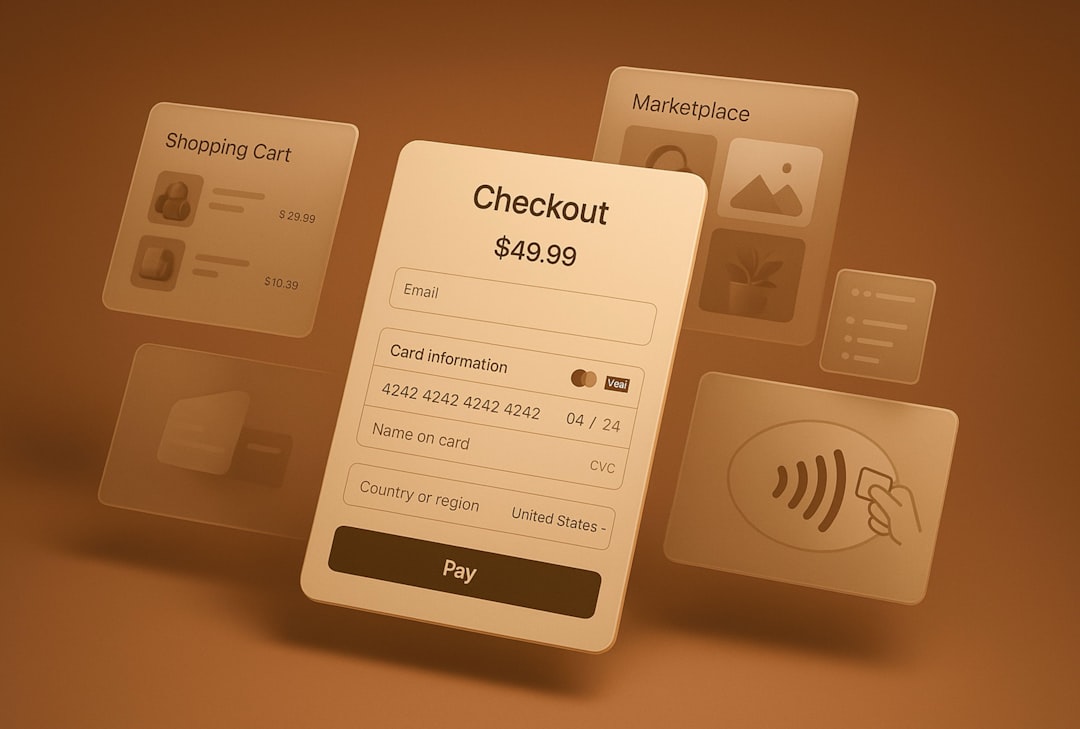
One of the most common reasons for a refused payment is simple: the information entered at checkout does not match the information on file with the card issuer. This includes the card number, expiration date, CVV code, billing address, or postal code.
Card issuers use billing details as part of their verification process. If a customer enters a shipping address instead of the billing address, or mistypes a ZIP code, the transaction may fail even if the card itself is valid.
How to resolve it:
- Ask the customer to re-enter the card details carefully.
- Tell them to confirm the billing address matches the address connected to the card.
- Suggest checking the expiration date and CVV code.
- If they recently moved, they may need to update their address with the card issuer.
This issue is especially common with customers using autofill, browser-stored payment details, or digital wallets linked to old addresses.
2. The Customer’s Bank Declined the Transaction
Sometimes the card issuer refuses the charge even though the customer has enough available credit. Banks use automated systems to evaluate every transaction. If a purchase looks unusual, risky, too large, international, or inconsistent with the customer’s spending pattern, the bank may block it.
This can happen when a customer is buying from a new store, purchasing a high-value item, ordering from another country, or making several transactions in a short time. From the bank’s perspective, refusing the transaction may be a protective measure.
How to resolve it:
- Ask the customer to contact their bank or card issuer.
- Suggest they confirm the transaction is legitimate.
- After approval from the bank, the customer can try the payment again.
- Offer an alternative payment method, such as PayPal, Shop Pay, Apple Pay, Google Pay, or another card.
If the customer says, “My card works everywhere else,” that may still be true. A bank can allow some transactions while blocking others based on context.
3. Insufficient Funds or Credit Limit Issues
A payment may be refused if the customer does not have enough available funds or available credit. With debit cards, this can mean the bank account balance is too low. With credit cards, the customer may be near their credit limit.
Sometimes the issue is less obvious. Pending transactions, temporary authorizations, hotel holds, fuel station holds, or subscription renewals can reduce available funds even if the customer believes they have enough money.
How to resolve it:
- Ask the customer to check their available balance or credit limit.
- Suggest using a different card.
- Allow split payments manually if your business supports them.
- For expensive products, consider offering installment payment options where available.
4. Fraud Prevention Rules Blocked the Payment
Shopify and payment processors use fraud analysis tools to help protect merchants from chargebacks and unauthorized purchases. These systems review signals such as IP address, billing address, shipping address, card origin, order value, email history, and device behavior.
If the transaction appears suspicious, the payment may be declined or flagged for review. This can be helpful, but it can also occasionally block legitimate customers.
For example, a customer may be traveling abroad while using a card issued in their home country. They may ship to a different address because they are buying a gift. Or they may use a VPN, making their location appear unusual.
How to resolve it:
- Review the order’s fraud analysis in Shopify.
- Check whether billing and shipping details are unusually different.
- Look for mismatched countries, repeated failed attempts, or suspicious email addresses.
- If the customer seems legitimate, ask them to try another verified payment method.
- Do not manually override risk signals without reviewing the situation carefully.
Important: Reducing fraud checks too aggressively may increase successful payments, but it can also increase chargebacks. The goal is not to approve everything. The goal is to reject fewer legitimate customers while still blocking risky transactions.
5. Shopify Payments Is Not Fully Set Up
If you use Shopify Payments, your account must be properly configured and verified. Shopify may request business details, tax information, identity documents, bank account information, or additional compliance information. If the account is incomplete or restricted, payment processing may be interrupted.
Merchants sometimes overlook notifications in the Shopify admin. A store can look active from the customer’s perspective while payment settings still need attention behind the scenes.
How to resolve it:
- Go to Settings > Payments in your Shopify admin.
- Check whether Shopify Payments is active and fully verified.
- Look for alerts requesting documents or business information.
- Confirm your bank account information is correct.
- Contact Shopify Support if your account is under review or restricted.
If Shopify Payments is unavailable in your country, or if your business type is not supported, you may need to use a third-party payment gateway.
6. Third-Party Payment Gateway Problems
Many Shopify stores use third-party payment processors. These gateways have their own rules, settings, security filters, supported countries, and decline codes. If something goes wrong with the gateway account, Shopify may not be able to complete the transaction.
Common third-party gateway issues include expired API credentials, inactive merchant accounts, unsupported currencies, incorrect gateway settings, or declined risk checks from the provider.
How to resolve it:
- Log in to your payment gateway dashboard.
- Check for account alerts, verification requests, or disabled features.
- Confirm that the gateway supports the customer’s card type and country.
- Review decline codes in the gateway dashboard.
- Reconnect or update gateway credentials if necessary.
If Shopify shows only a generic decline message, the gateway dashboard may provide a more detailed explanation.
7. International Card or Currency Restrictions
International transactions are more likely to be refused than domestic ones. A customer’s bank may block foreign purchases by default, especially if the transaction is in a different currency. Some cards are also restricted to domestic use only.
Currency conversion can add another layer of complexity. If your Shopify store sells in one currency but the customer’s card uses another, the card issuer or payment processor must approve the conversion and transaction.
How to resolve it:
- Make sure your payment provider supports international cards.
- Offer local currency checkout when possible.
- Clearly display accepted payment methods.
- Ask international customers to enable overseas purchases with their bank.
- Offer alternative regional payment options if you sell globally.
For international ecommerce, payment flexibility is crucial. The fewer payment options you offer, the more likely customers are to abandon checkout when one method fails.
8. Card Type Is Not Supported
Not all cards are accepted by every Shopify store or payment provider. A store may accept Visa and Mastercard but not American Express, Discover, prepaid cards, corporate cards, or certain debit cards. Some payment processors also restrict virtual cards or gift cards.
Customers may assume that if a card has a major logo, it should work everywhere. Unfortunately, acceptance depends on your gateway settings, country, business category, and card network agreements.
How to resolve it:
- Check which card brands are enabled in your payment settings.
- Review your payment provider’s supported card list.
- Display accepted payment logos clearly at checkout.
- Recommend another card or payment method if a card type is unsupported.
9. AVS or CVV Verification Failed
AVS stands for Address Verification System. It compares the billing address entered at checkout with the billing address on file with the card issuer. CVV verification checks the security code printed on the card.
If either verification fails, the transaction may be refused. This does not always mean the customer is fraudulent. It may simply mean they entered an old address, used a business card with a company billing address, or mistyped the CVV.
How to resolve it:
- Ask the customer to verify the exact billing address with their bank.
- Have them re-enter the CVV manually instead of relying on autofill.
- Encourage them to use the name and address printed on their card statement.
10. Temporary Technical Errors
Occasionally, refused payments happen because of temporary technical problems. These can include payment network outages, gateway downtime, browser issues, app conflicts, or connection errors. Even a brief interruption between Shopify, the payment processor, and the card issuer can result in a failed transaction.
How to resolve it:
- Ask the customer to refresh the page and try again.
- Suggest using another browser or device.
- Disable VPNs or browser extensions that may interfere with checkout.
- Check Shopify status and your gateway’s status page.
- Test checkout using a supported test mode if available.

How Merchants Can Troubleshoot Refused Payments
When a customer reports a refused card payment, do not guess. A structured troubleshooting process helps you solve the issue faster and sound more professional.
- Check the order timeline: Shopify may show failed payment attempts and related messages.
- Review the decline reason: If available, look for gateway decline codes or fraud indicators.
- Confirm payment settings: Make sure your gateway is active and properly configured.
- Ask the customer for general details: You do not need their full card number. Ask what error they saw and whether the bank sent an alert.
- Offer alternatives: Another card, digital wallet, PayPal, manual invoice, or bank transfer may save the sale.
Never ask customers to send full credit card details by email, chat, or message. That creates serious security and compliance risks.
How Customers Can Fix a Refused Payment
If you want to help customers quickly, provide a simple checklist on your checkout FAQ or support page. A customer-friendly version might say:
- Check that your card number, expiration date, and CVV are correct.
- Make sure your billing address matches your card statement.
- Confirm you have enough available funds or credit.
- Contact your bank to approve the transaction.
- Try a different card, browser, device, or payment method.
This kind of guidance reduces support tickets and reassures customers that the issue is usually fixable.
How to Reduce Payment Refusals on Your Shopify Store
You cannot prevent every declined payment, but you can reduce them. Start by offering multiple trusted payment methods. The more options customers have, the less likely they are to leave if one card fails.
Next, make your checkout clear and credible. Display accepted cards, use accurate product pricing, avoid surprise fees, and make shipping costs transparent. Unexpected charges at checkout can trigger both customer hesitation and bank suspicion.
You should also monitor failed payments regularly. If many customers are being declined, the issue may not be individual cards. It could be a gateway configuration problem, unsupported region, currency mismatch, or overly strict fraud settings.
Best practices include:
- Enable popular digital wallets such as Shop Pay, Apple Pay, and Google Pay where available.
- Keep your payment account verification up to date.
- Use clear billing and shipping fields.
- Review fraud rules carefully before tightening them.
- Make support easy to contact when checkout fails.
Final Thoughts
Credit card payments get refused on Shopify for many reasons, but most fall into a few predictable categories: incorrect details, bank declines, insufficient funds, fraud checks, unsupported cards, international restrictions, gateway problems, or temporary technical errors. The key is to identify where the refusal happened and respond with the right solution.
For customers, the fastest fix is usually to check billing details, contact the bank, or try another payment method. For merchants, the best approach is to keep payment settings healthy, offer flexible checkout options, review decline patterns, and communicate clearly. A refused payment does not have to mean a lost sale. With the right troubleshooting process, it can often become a completed order and a better customer experience.