Movie night should feel easy. You press play. The screen glows. The sound booms. The popcorn disappears. But sometimes your setup does not play along. Maybe your TV has great picture but weak sound. Maybe your game console needs to feed both a projector and a sound system. This is where an HDMI audio video splitter can become a tiny box with a big job.
TLDR: Yes, an HDMI audio video splitter can improve your viewing and audio experience if your setup needs it. It can send one HDMI signal to more than one screen, or help send better audio to a soundbar, receiver, or speaker system. It does not magically upgrade bad video into 4K or weak speakers into a cinema. But it can make your gear work together in a much cleaner way.
What Is an HDMI Audio Video Splitter?
An HDMI audio video splitter is a small device. It takes one HDMI signal and sends it to two or more places.
Think of it like a garden hose splitter. One hose connects to the tap. Then the splitter sends water to two hoses. An HDMI splitter does the same thing, but with picture and sound.
For example, you can connect a game console to the splitter. Then the splitter can send the signal to:
- Your TV
- Your projector
- Your sound system
- A capture card
- A second screen in another room
Some splitters send both video and audio through HDMI. Some also have extra audio outputs. These may include optical audio, RCA, or a 3.5 mm headphone jack. That extra feature is often called audio extraction.
That sounds fancy. It is not scary. It just means the box can pull the sound out of the HDMI signal and send it somewhere else.

Can It Improve Picture Quality?
Here is the honest answer. An HDMI splitter usually does not improve picture quality by itself.
It will not turn a blurry video into a sharp one. It will not make a 1080p movie become true 4K. It is not a magic wand with tiny cinema elves inside.
But it can help you keep the best picture your device already supports.
For example, let’s say you have a 4K streaming box. You also have a 4K TV and a 4K projector. A good HDMI splitter can send the same 4K signal to both. That means you do not have to keep unplugging cables. You also avoid using cheap adapters that may lower the signal quality.
A good splitter can help with:
- 4K video at smooth frame rates
- HDR for better brightness and color
- Dolby Vision if supported
- 3D video for older home theater setups
- Stable signal over short and medium cable runs
But you must pick the right splitter. If your TV supports 4K at 60 Hz, your splitter should also support 4K at 60 Hz. If your devices use HDR, the splitter should support HDR too.
If not, the splitter may force everything down to a lower setting. That is like wearing sunglasses at night. It works, but it is not ideal.
Can It Improve Audio Quality?
This is where an HDMI audio video splitter can really shine.
Many TVs have thin speakers. They are fine for news. They are fine for cartoons. But when a dragon lands on a castle, you want more than a tiny pop. You want the sofa to feel nervous.
An HDMI splitter with audio extraction can help. It can send the video to your TV and the audio to your soundbar, AV receiver, or speakers.
This can be very useful if:
- Your TV does not have the audio output you need
- Your sound system is older
- Your projector has weak speakers
- You want surround sound from a streaming box
- You want headphones connected without changing your whole setup
For example, your streaming stick may only have HDMI. Your older receiver may not have HDMI inputs. A splitter with optical audio output can bridge the gap. It takes the sound from HDMI and sends it to the receiver through optical cable.
That can give you clearer dialogue. It can give you stronger bass. It can let you use real speakers instead of tiny TV speakers.
Will it improve the audio by itself? Not exactly. The splitter does not make bad speakers good. But it can send the sound to better speakers. That is the real win.
Splitter vs Switch: Do Not Mix Them Up
HDMI gadgets have confusing names. So let’s make this simple.
An HDMI splitter takes one input and sends it to many outputs.
An HDMI switch takes many inputs and sends one to one output.
Here is the party version:
- Splitter: One pizza goes to many people.
- Switch: Many pizzas are on the table, but you choose one slice.
If you want one console on two screens, get a splitter. If you want three consoles connected to one TV, get a switch.
Some devices do both. These are called matrix switches. They are more advanced. They are also more expensive. For most homes, a simple splitter is enough.

When an HDMI Splitter Makes Life Better
An HDMI splitter is perfect for certain setups. It can reduce cable swapping. It can make your system easier to use. It can also stop the classic “which cable goes where?” dance.
Here are common situations where it helps.
1. TV and Projector Setup
You may have a TV for daytime use and a projector for movie night. You want both connected to the same streaming box. A splitter can send the signal to both. You pick the display you want to watch.
No crawling behind the cabinet. No dust in your hair. No mystery cable with teeth marks from the cat.
2. Better Sound From a Projector
Projectors often have small speakers. Some sound like a phone in a shoebox. An HDMI audio splitter can send the video to the projector and the audio to a soundbar or receiver.
This makes movie night feel bigger. Explosions explode. Music has warmth. Dialogue becomes easier to hear.
3. Gaming on Two Displays
A gamer may want to play on a TV while also sending the signal to a capture card. This is common for streaming or recording gameplay.
A splitter can send one signal to both the TV and the capture device. This keeps the setup neat. It also helps avoid unplugging things every time you record.
4. Sports in Two Rooms
Want the big game in the living room and kitchen? A splitter can help. One cable box can feed two screens. You can grab snacks and still see the replay.
This is dangerous for chips. Very dangerous.
5. Old Receiver, New TV
Your old receiver may still sound great. But it may not support modern HDMI features. A splitter with audio extraction can let your new TV get the video while your receiver gets the sound.
This can save money. You may not need to replace your receiver right away.
What About Lag?
Most good HDMI splitters add little or no noticeable lag. For movies and TV, you probably will not notice anything.
For gaming, lag matters more. A bad splitter can cause delay, flicker, or handshake issues. The word handshake sounds friendly, but HDMI handshakes can be grumpy.
An HDMI handshake is when devices talk to each other. They decide what video and audio formats to use. If the splitter is low quality, the devices may argue. The screen may go black. The sound may cut out. You may say words not found in the manual.
For gaming, choose a splitter that supports:
- The resolution you use
- The refresh rate you need
- Low latency performance
- HDCP compatibility
- Reliable power supply
If you play on newer consoles, check for support for 4K at 120 Hz if you need it. Not all splitters support that.
What Is HDCP, and Why Should You Care?
HDCP is a copy protection system. It stands for High-bandwidth Digital Content Protection. Yes, that name needs a snack break.
Streaming boxes, Blu-ray players, and game consoles often use HDCP. If your splitter does not support the right version, you may get a blank screen.
For 4K content, look for HDCP 2.2 or HDCP 2.3 support. For older 1080p content, HDCP 1.4 may be enough.
This is not exciting. But it is important. A splitter without proper HDCP support can turn movie night into black screen night.
Powered vs Passive Splitters
Some splitters need a power adapter. These are called powered splitters. Others do not. These are often called passive splitters.
For most real setups, a powered splitter is better. It gives the HDMI signal a stronger push. It is more stable. It is better for 4K, longer cables, and multiple outputs.
A passive splitter may work for simple setups. But it can be unreliable. HDMI signals are picky. They do not like weak connections.
If you want fewer problems, choose a powered model from the start.
How to Choose the Right HDMI Audio Video Splitter
Before buying, check a few things. This can save you from returns, headaches, and dramatic sighing.
- Resolution: Choose support for 1080p, 4K, or 8K based on your gear.
- Refresh rate: Look for 60 Hz or 120 Hz if needed.
- HDR support: Check for HDR10, Dolby Vision, or other formats you use.
- Audio formats: Look for Dolby Digital, DTS, Dolby Atmos, or PCM support.
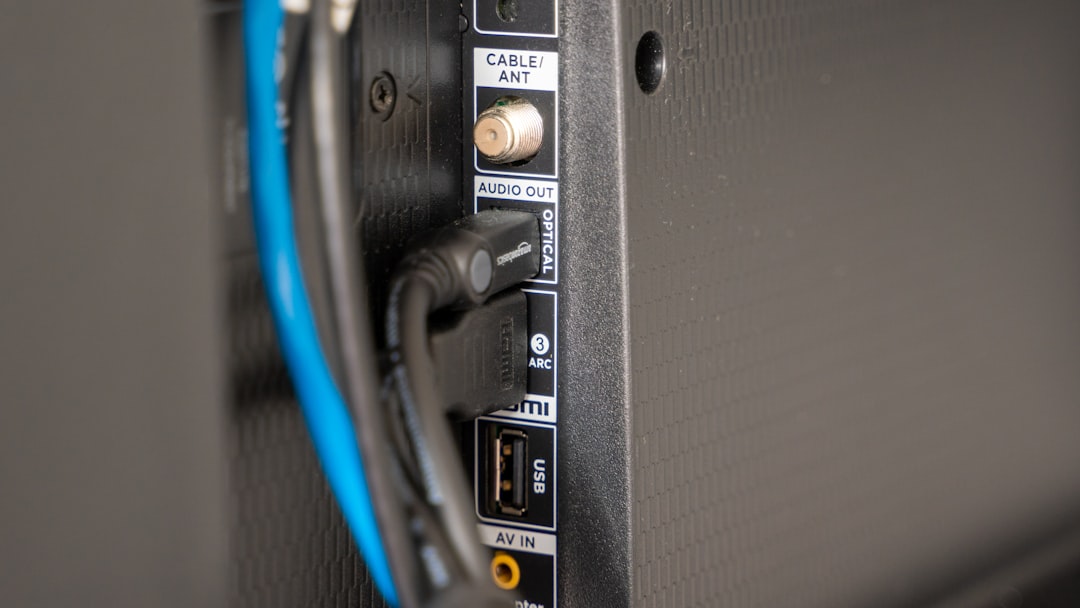
- Audio outputs: Pick HDMI, optical, RCA, or 3.5 mm based on your speakers.
- HDCP version: Match it to your content and devices.
- Power: A powered splitter is usually safer.
- Cable length: Long cables need better signal support.
Also check the number of outputs. A 1×2 splitter sends one input to two outputs. A 1×4 splitter sends one input to four outputs.
Do not buy more than you need. Bigger is not always better. It is just more ports to stare at.
Simple Setup Example
Let’s build a basic setup.
You have a streaming box, a TV, and a soundbar. Your soundbar has optical input. Your streaming box only has HDMI.
You connect it like this:
- Connect the streaming box to the HDMI input on the splitter.
- Connect the splitter HDMI output to the TV.
- Connect the splitter optical audio output to the soundbar.
- Plug in the splitter power adapter.
- Turn everything on.
- Set the audio format if needed.
Now the TV gets the picture. The soundbar gets the sound. Everyone is happy. Even the remote control feels important.
Possible Problems
HDMI splitters are useful. But they are not perfect. Here are a few things that can go wrong.
- Black screen: This may be caused by HDCP issues or wrong settings.
- No sound: The audio format may not match your speakers.
- Lower resolution: One connected display may limit the whole setup.
- Flickering: Cables may be too long or too cheap.
- Lag: A low quality splitter may slow things down.
If one screen is 4K and the other is 1080p, the splitter may choose 1080p for both. This depends on the model. Some splitters handle this better than others.
Use good HDMI cables. Keep cable runs short if possible. Restart devices if they get confused. HDMI devices sometimes need a little nap.
So, Can It Improve Your Experience?
Yes, it can. But it depends on what problem you are trying to solve.
An HDMI audio video splitter improves your experience by making your system more flexible. It can send video to more than one screen. It can send audio to better speakers. It can reduce cable swapping. It can help old and new devices work together.
It is not a picture enhancer. It is not a sound booster by itself. It is more like a helpful traffic controller. It sends the right signals to the right places.
If your setup is simple, you may not need one. If you only use one TV and one soundbar with HDMI ARC, you may already be fine.
But if your setup has a TV, projector, receiver, soundbar, capture card, or extra screens, a splitter may make everything smoother.
Final Thoughts
An HDMI audio video splitter is small, but it can solve big home entertainment problems. It can make your setup cleaner. It can help you enjoy better sound. It can help you use more screens without cable chaos.
The key is to buy the right one. Match it to your TV, console, projector, sound system, and streaming device. Check the resolution. Check the audio formats. Check HDCP. Choose a powered model if you want better stability.
Then sit back. Press play. Let the screen shine and the speakers sing. And if the popcorn disappears too fast, sadly, no HDMI splitter can fix that.