
In an era where digital identities are constantly under threat, individuals and organizations alike rely heavily on secure systems to protect sensitive information. Password manager software with advanced encryption and secure sharing features has emerged as a critical solution for safeguarding login credentials, financial records, and confidential data. With cyberattacks growing more sophisticated, the importance of strong password practices and encrypted storage cannot be overstated.
TLDR: Password manager software with advanced encryption protects sensitive login credentials by storing them in encrypted vaults secured by zero-knowledge architecture. These tools generate strong passwords, automate secure logins, and offer encrypted sharing features for teams and families. Advanced security measures like multi-factor authentication and end-to-end encryption significantly reduce the risk of breaches. For individuals and businesses seeking stronger digital security, a modern password manager is an essential investment.
Password managers serve as centralized, encrypted vaults that store usernames, passwords, payment details, and secure notes. Instead of remembering dozens of complex passwords, users need only one strong master password. Behind the scenes, advanced encryption protocols ensure that stored data remains unreadable to unauthorized parties—even the service provider itself.
Understanding Advanced Encryption in Password Managers
Advanced encryption is the cornerstone of modern password management software. Most reputable solutions implement AES-256 bit encryption, widely regarded as a military-grade standard. This form of encryption transforms readable information into ciphertext that cannot be decrypted without the proper cryptographic key.
In addition to strong encryption algorithms, many password managers implement the following protective measures:
- Zero-knowledge architecture: The provider cannot access user data because encryption and decryption occur locally on the user’s device.
- End-to-end encryption: Data remains encrypted during transmission between devices.
- Secure key derivation functions: Technologies like PBKDF2, Argon2, or bcrypt strengthen master passwords against brute-force attacks.
- Salting and hashing: Passwords are never stored in plain text, adding extra layers of defense.
The combination of these technologies ensures that even if attackers intercept stored data, they cannot decipher it. Advanced encryption reduces vulnerabilities not only from external hackers but also from insider threats.
Core Features of Password Manager Software
Modern password managers offer far more than basic storage. Their comprehensive feature sets are designed to simplify security while enhancing protection.
Password Generation
Strong password creation is essential for security hygiene. Password managers automatically generate complex passwords using combinations of upper- and lowercase letters, numbers, and symbols. This reduces reliance on predictable passwords that are easy to guess.
Autofill and Auto-login
Secure autofill features enhance both convenience and security. Instead of typing passwords manually—which may expose them to keyloggers—users can automatically populate login forms through encrypted extensions.
Cross-Device Synchronization
Cloud-based vaults enable seamless synchronization across desktops, smartphones, and tablets. End-to-end encryption ensures that synchronization does not compromise security.
Dark Web Monitoring
Some advanced tools scan known data breach databases and notify users if their credentials appear in leaks. Early detection allows prompt password changes and mitigates damage.
Secure Sharing Capabilities for Teams and Families
One of the most valuable features of enterprise-grade password manager software is secure sharing. In professional environments, employees often need access to shared accounts without revealing underlying credentials. Secure sharing allows this access while maintaining encryption integrity.
Instead of sending passwords via email or messaging apps—both highly insecure—password managers enable:
- Encrypted credential sharing within specific user groups
- Granular permission controls (view only, edit, revoke access)
- Time-limited access for contractors or temporary team members
- Activity logs and auditing for compliance tracking

Family plans also benefit from secure sharing features. Parents can safely share streaming logins or Wi-Fi passwords without exposing sensitive financial information. All data remains encrypted, and access can be revoked at any time.
Multi-Factor Authentication and Biometric Integration
While encryption protects stored data, authentication mechanisms protect access. Most advanced password managers incorporate multi-factor authentication (MFA), adding an additional verification step beyond the master password.
MFA options include:
- Time-based one-time passwords (TOTP)
- Hardware security keys
- Push notifications to trusted devices
- Biometric authentication such as fingerprint or facial recognition
By requiring something the user knows (password) and something they have (device or token), the software significantly reduces unauthorized access risk.
Benefits for Businesses
Organizations face increasing pressure to comply with data protection regulations and avoid costly breaches. Password managers with advanced encryption and secure sharing support both operational efficiency and regulatory compliance.
Key business advantages include:
- Centralized access control: Administrators manage permissions from a single dashboard.
- Reduced password reuse: Enforced password policies promote stronger credentials.
- Streamlined onboarding and offboarding: Access can be instantly granted or revoked.
- Audit trails: Detailed logs assist in compliance with standards such as GDPR, HIPAA, and SOC 2.
Additionally, minimizing password-related support tickets reduces IT workload. Employees no longer depend heavily on resets or manual credential distribution.
Advantages for Individuals
For individual users, the benefits are equally compelling. Online banking, ecommerce, social media, healthcare portals, and streaming services all require secure access.
A password manager provides:
- Improved password strength across all accounts
- Reduced risk of phishing through domain-specific autofill
- Secure storage of sensitive notes such as passport details
- Simplified digital life management
By eliminating password reuse, users prevent attackers from exploiting one compromised account to infiltrate others.
Security Architecture and Zero-Knowledge Design
A defining attribute of advanced password manager software is its zero-knowledge architecture. Providers design systems so that only the end user holds the encryption keys. Even if company servers are breached, attackers cannot decrypt vault contents without the user’s master key.
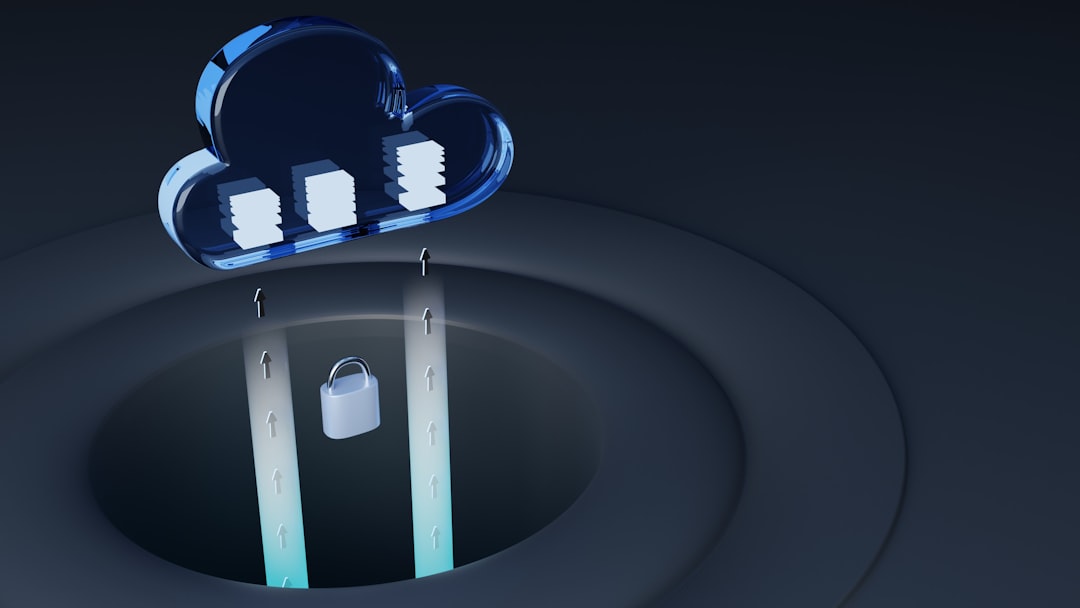
This architecture relies on:
- Client-side encryption
- Strong master password requirements
- Secure recovery methods
- Encrypted backups
Zero-knowledge systems inspire trust because users maintain full control over their data.
Potential Risks and Mitigation Strategies
No system is entirely risk-free. Critics sometimes argue that consolidating passwords into one vault creates a single point of failure. However, this risk is mitigated through layered security practices.
Recommended safety practices include:
- Creating a long, unique master password
- Enabling multi-factor authentication
- Keeping software updated
- Monitoring for breach alerts
When properly configured, encrypted password managers are significantly more secure than traditional spreadsheet storage, browser-only storage, or written notes.
Future Trends in Password Management
The cybersecurity landscape continues to evolve. Emerging trends include integration with passkeys, passwordless authentication, and decentralized identity systems. Password managers increasingly support passkey storage using cryptographic key pairs, reducing reliance on traditional passwords entirely.
Artificial intelligence is also improving threat detection by identifying unusual login patterns or risky password behaviors. As cyber threats become more advanced, password managers are adapting with smarter, more proactive defenses.
Choosing the Right Password Manager
When evaluating password manager software, users should consider several criteria:
- Encryption standards and transparency
- Security audits and certifications
- User interface and ease of use
- Secure sharing options
- Compatibility across devices
Selecting a solution with independently verified security practices ensures long-term reliability.
Conclusion
Password manager software with advanced encryption and secure sharing features represents one of the most effective tools for modern digital security. By combining military-grade encryption, zero-knowledge architecture, multi-factor authentication, and seamless sharing controls, these solutions address both personal and organizational security challenges. In a world where data breaches are increasingly common, proactive password management is no longer optional—it is essential.
Frequently Asked Questions (FAQ)
- 1. Are password managers safe to use?
Yes. Reputable password managers use AES-256 encryption, zero-knowledge architecture, and multi-factor authentication, making them far safer than storing passwords manually. - 2. What happens if someone learns the master password?
If the master password is compromised, an attacker could potentially access the vault. This is why enabling multi-factor authentication and creating a strong master password is critical. - 3. Can password managers be hacked?
While no system is immune to breaches, encrypted password managers ensure that even if servers are compromised, vault data remains unreadable without encryption keys. - 4. How does secure sharing work?
Secure sharing encrypts credentials before transmission and allows controlled access through permissions. Recipients can use accounts without viewing the actual password. - 5. Are password managers suitable for businesses?
Absolutely. They offer centralized access control, audit logs, secure sharing, and compliance-friendly security architecture, making them ideal for organizations of all sizes. - 6. What is zero-knowledge architecture?
It is a security model where the service provider cannot access or decrypt user data because only the user holds the encryption keys. - 7. Do password managers work with biometric authentication?
Yes. Many integrate with fingerprint scanners and facial recognition systems to provide secure and convenient access.