
Instagram has evolved from a simple photo-sharing platform into a highly visual ecosystem where polished images, dynamic Reels, strong branding, and fast editing workflows matter. For creators, small businesses, influencers, and social media managers, the right editing app can make the difference between content that blends in and content that earns attention. The best tools combine ease of use with professional-quality features, helping creators refine photos, cut videos, add effects, design covers, and maintain a consistent visual identity.
TLDR: The best Instagram photo editing and Reels creation apps include Adobe Lightroom, VSCO, Canva, CapCut, InShot, VN Video Editor, Snapseed, and Prequel. Lightroom and Snapseed are excellent for detailed photo edits, while CapCut, InShot, and VN are strong choices for Reels. Canva works especially well for branded content, templates, covers, and quick social media designs.
Why Instagram Editing Apps Matter
Instagram rewards content that captures attention quickly. Strong colors, clean composition, readable text, engaging transitions, and clear storytelling all contribute to better performance. While Instagram’s built-in editor provides basic tools, dedicated editing apps offer far more control over exposure, color grading, skin retouching, background cleanup, video timing, captions, audio syncing, and layout design.
For brands and creators, editing apps also support consistency. A recognizable visual style helps audiences identify content instantly. Whether a creator prefers muted tones, vibrant travel photography, minimalist product shots, or fast-paced Reels, the right app helps maintain that style across posts, Stories, carousels, and videos.
1. Adobe Lightroom: Best for Professional Photo Editing
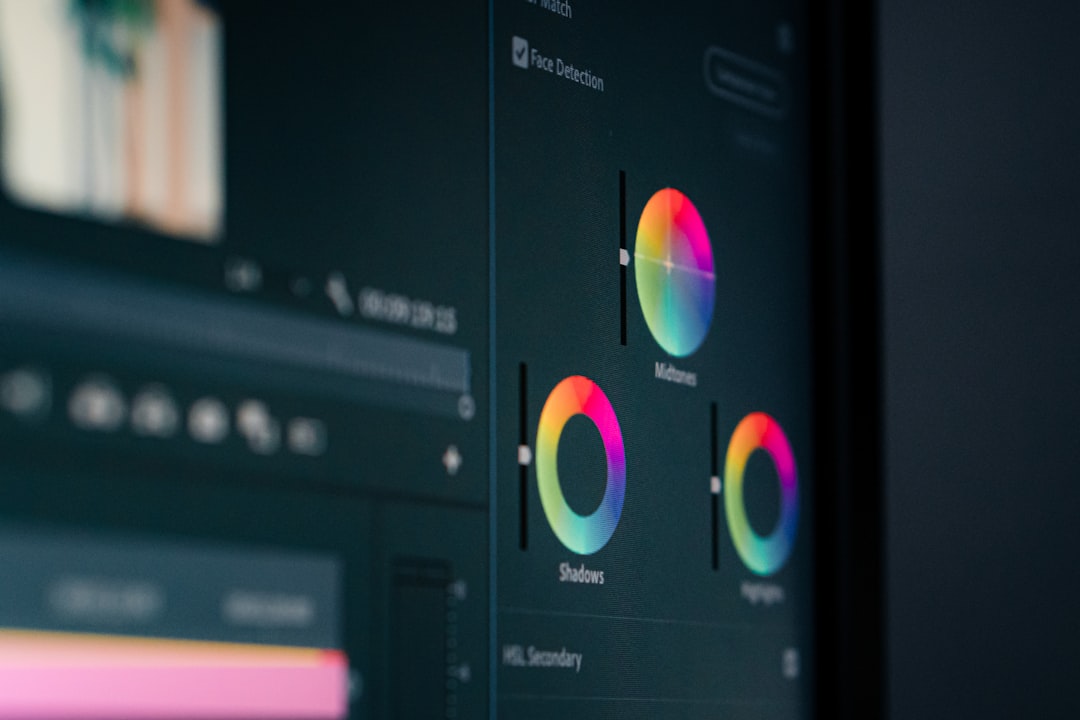
Adobe Lightroom remains one of the strongest apps for Instagram photo editing. It is widely used by photographers, influencers, travel creators, food bloggers, and businesses that need consistent, high-quality images. Lightroom offers advanced controls for exposure, contrast, highlights, shadows, color temperature, saturation, sharpness, and noise reduction.
One of Lightroom’s biggest advantages is its preset system. Creators can apply a saved editing style to multiple photos, helping their Instagram feed look cohesive. This is especially useful for lifestyle brands, fashion accounts, and photographers who want a recognizable aesthetic.
- Best for: Professional-looking photo edits and feed consistency
- Key features: Presets, selective editing, color grading, exposure tools
- Ideal users: Photographers, influencers, brands, travel creators
Lightroom is especially effective for correcting difficult lighting, enhancing natural colors, and creating a polished editorial look without making images appear overly artificial.
2. VSCO: Best for Aesthetic Filters
VSCO is popular among creators who prefer subtle, film-inspired filters. Unlike some apps that produce heavily edited results, VSCO is known for tasteful presets that soften tones, add mood, and create a cohesive visual style. It is particularly useful for fashion, lifestyle, coffee shop, travel, and minimal photography accounts.
The app includes tools for brightness, contrast, grain, fade, temperature, and skin tone adjustment. Its filters can help creators build an Instagram feed that feels calm, artistic, nostalgic, or cinematic.
- Best for: Stylish filters and soft editorial looks
- Key features: Film presets, grain, fade, color tools
- Ideal users: Lifestyle creators, fashion accounts, visual storytellers
VSCO works well for creators who want quick edits without spending too much time adjusting every detail manually.
3. Snapseed: Best Free Photo Editing App
Snapseed, developed by Google, is one of the most powerful free photo editing apps available. It offers a surprisingly advanced set of tools, including selective adjustments, healing, curves, perspective correction, brush tools, and HDR effects.
Snapseed is especially useful for creators who want detailed control without paying for a subscription. The Selective tool allows editors to brighten a subject, darken a background, or enhance a specific color without changing the entire image. The Healing tool can remove small distractions, such as dust, marks, or unwanted objects.
- Best for: Free advanced photo editing
- Key features: Selective editing, healing tool, curves, brushes
- Ideal users: Beginners, budget-conscious creators, mobile photographers
For Instagram users who need strong editing capability without cost, Snapseed remains a reliable and flexible choice.
4. Canva: Best for Instagram Graphics and Reels Covers
Canva is a favorite among social media managers, entrepreneurs, coaches, and content creators who need fast, attractive Instagram designs. It is not only useful for photo editing but also for creating carousel posts, Reels covers, Story layouts, quote graphics, promotional announcements, and branded templates.
Its drag-and-drop interface makes design approachable. Creators can use ready-made templates, upload brand colors, add fonts, place logos, and resize designs for different Instagram formats. Canva is particularly helpful for accounts that rely on educational content, product promotions, or consistent branding.
- Best for: Branded Instagram graphics and templates
- Key features: Templates, text tools, background remover, brand kits
- Ideal users: Small businesses, coaches, marketers, content teams
Canva is also a strong option for Reels cover design. A clean cover can improve profile appearance and encourage viewers to tap on older videos.

5. CapCut: Best Overall App for Reels Creation
CapCut has become one of the most popular apps for short-form video editing. It is especially useful for Instagram Reels because it offers trend-friendly tools, templates, auto captions, transitions, effects, speed controls, background removal, and music syncing.
CapCut’s interface is beginner-friendly but powerful enough for more advanced creators. Editors can split clips, remove unwanted sections, match cuts to audio, add animated text, and use effects that feel native to modern social media trends. Its auto-caption feature is particularly important because many viewers watch videos without sound.
- Best for: Fast, trend-based Reels editing
- Key features: Auto captions, templates, transitions, effects, audio sync
- Ideal users: Reels creators, influencers, educators, social media teams
CapCut is ideal for creators who need to produce engaging Reels quickly while still maintaining a polished look.
6. InShot: Best for Simple Video Editing
InShot is a straightforward video editing app that works well for Instagram Reels, Stories, and feed videos. It offers trimming, splitting, cropping, filters, stickers, text overlays, music, voiceovers, and aspect ratio settings. Its simplicity makes it a good choice for creators who do not want a steep learning curve.
InShot is especially useful for quick edits such as combining clips, adding background music, adjusting video size, or placing simple captions. It also includes photo editing and collage features, making it a versatile option for casual creators and small businesses.
- Best for: Easy video editing and quick Reels
- Key features: Trimming, music, stickers, text, video resizing
- Ideal users: Beginners, small businesses, casual content creators
For creators who need reliable basic editing without complicated controls, InShot remains a practical and efficient app.
7. VN Video Editor: Best for Clean, Timeline-Based Editing
VN Video Editor is a strong choice for creators who want a more traditional editing experience on mobile. It uses a clean timeline interface and supports multi-layer editing, transitions, keyframes, filters, speed curves, and music editing.
VN is particularly useful for creators who produce storytelling Reels, mini vlogs, tutorials, event recaps, and product videos. Its timeline structure helps editors organize clips with more precision than many simpler apps. The app also supports high-quality exports, which is important for maintaining clarity after Instagram compression.
- Best for: Precise mobile video editing
- Key features: Timeline editing, keyframes, transitions, speed curves
- Ideal users: Vloggers, tutorial creators, product marketers
VN offers a strong balance between professional control and mobile convenience, making it suitable for creators who want more than basic trimming.
8. Prequel: Best for Trendy Effects and Creative Looks
Prequel is known for bold filters, retro effects, beauty tools, and creative video styles. It is well suited for creators who want eye-catching visuals, especially in fashion, music, beauty, and lifestyle niches. The app includes effects such as VHS, sparkle, cinematic glow, film grain, and stylized overlays.
Prequel may not be the best choice for natural-looking photo correction, but it excels at creating distinctive, highly stylized content. For Reels that need a dramatic or artistic finish, Prequel can add personality quickly.
- Best for: Creative filters and visual effects
- Key features: Retro looks, beauty effects, overlays, animated styles
- Ideal users: Beauty creators, musicians, fashion influencers, artists
Used carefully, Prequel can help content stand out in a crowded feed without overwhelming the original image or video.
9. Picsart: Best for Creative Photo Manipulation
Picsart is a versatile app for creators who enjoy playful edits, cutouts, stickers, collages, background changes, and artistic effects. It is often used for promotional posts, fan edits, thumbnails, and creative compositions.
The app includes tools for removing backgrounds, adding text, blending images, applying filters, and creating layered designs. While it can produce bold results, creators can also use it for simple touch-ups and social-friendly graphics.
- Best for: Creative edits and photo manipulation
- Key features: Cutouts, stickers, background tools, collage maker
- Ideal users: Artists, fan pages, entertainment accounts, creative brands
Picsart is strongest when the goal is not just correction but visual transformation.
How to Choose the Right Instagram Editing App
The best app depends on the creator’s goals, content style, and workflow. A photographer may benefit most from Lightroom or Snapseed, while a Reels-focused creator may prefer CapCut or VN. A business account that publishes educational posts and promotions may find Canva essential.
Creators should consider several factors before choosing an app:
- Content type: Photo-heavy accounts need different tools than video-heavy accounts.
- Skill level: Beginners may prefer InShot, Canva, or VSCO, while advanced editors may prefer Lightroom, VN, or CapCut.
- Brand consistency: Presets, templates, and saved styles help maintain a recognizable look.
- Speed: Social media teams often need apps that support quick editing and easy exporting.
- Budget: Free tools such as Snapseed and VN can be excellent, while premium features may be worth it for professional use.
Recommended App Combinations
Many creators use more than one app because each tool serves a different purpose. A strong Instagram workflow often includes one photo editor, one video editor, and one design tool.
- For influencers: Lightroom for photos, CapCut for Reels, and Canva for covers.
- For small businesses: Canva for branded posts, InShot for quick videos, and Snapseed for product photos.
- For travel creators: Lightroom for color grading, VN for vlog-style Reels, and VSCO for aesthetic consistency.
- For beauty creators: Prequel for stylized effects, CapCut for tutorials, and Lightroom for polished images.
The most efficient setup is usually the one that supports repeatable results. When creators save presets, templates, fonts, and export settings, they can produce content faster while keeping quality high.
Final Thoughts
Instagram success depends on more than editing, but strong visuals remain a major advantage. Apps such as Lightroom, VSCO, and Snapseed help creators improve photo quality, while CapCut, InShot, and VN make Reels production faster and more engaging. Canva, Prequel, and Picsart add design, style, and creative flexibility.
The best choice is not always the most advanced app. It is the app that fits the creator’s style, saves time, supports consistent branding, and makes publishing easier. With the right tools, Instagram content can look more professional, tell stronger stories, and attract more attention in a visually competitive feed.
FAQ
What is the best app for editing Instagram photos?
Adobe Lightroom is often considered the best app for professional Instagram photo editing because it offers advanced color, lighting, and preset tools. Snapseed is a strong free alternative.
What is the best app for creating Instagram Reels?
CapCut is one of the best apps for Instagram Reels because it includes templates, auto captions, effects, transitions, and audio syncing tools.
Which app is best for Instagram beginners?
InShot, Canva, and VSCO are good options for beginners because they are easy to use and provide fast results with minimal editing experience.
Are free editing apps good enough for Instagram?
Yes. Free apps such as Snapseed, VN Video Editor, and free versions of CapCut can produce high-quality Instagram content. Premium tools may help when creators need advanced features or faster workflows.
What app should small businesses use for Instagram posts?
Canva is especially useful for small businesses because it supports templates, brand colors, text layouts, promotional graphics, and Reels covers.
Should creators use the same filter on every Instagram post?
Using the same or similar presets can help create a consistent feed, but every image may still need small adjustments for lighting, skin tones, and color balance.
Which app is best for adding captions to Reels?
CapCut is a popular choice for adding automatic captions to Reels. Captions can improve accessibility and help viewers understand videos when sound is off.