
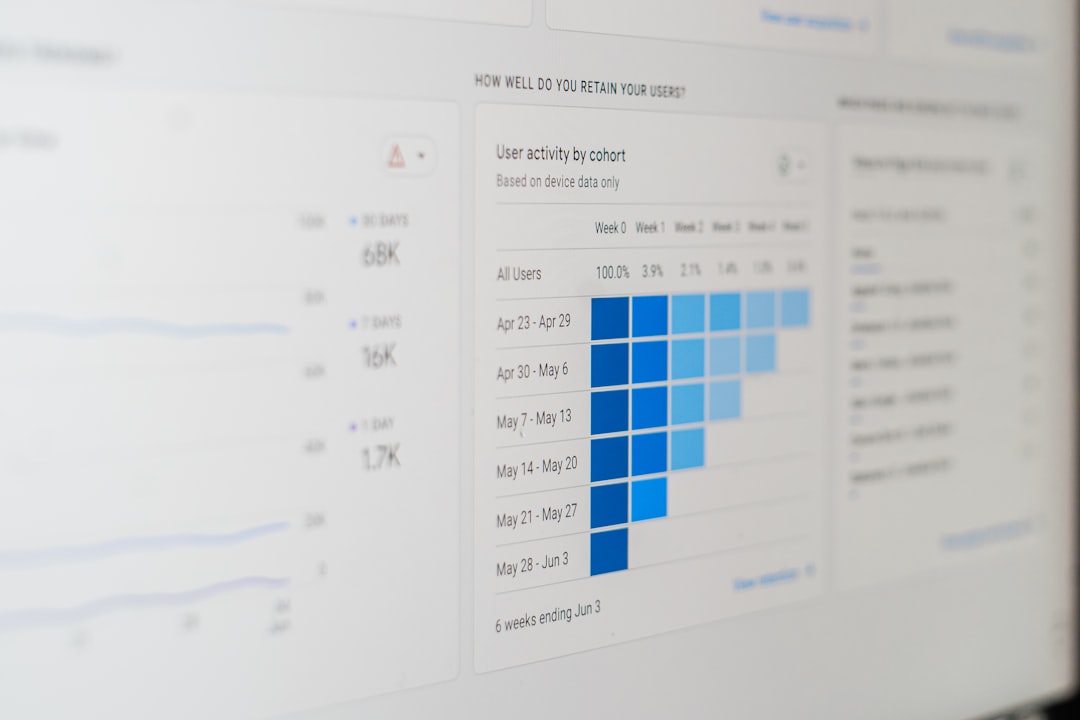
Cart abandonment is not just a checkout problem; it is a behavioral story. Every shopper who adds an item to the cart and leaves behind an unfinished purchase is giving your ecommerce business a clue. Some clues point to pricing friction, others to trust issues, delivery concerns, payment limitations, or simple distraction. The more precisely you track these signals, the better you can turn abandoned carts into recovered revenue.
TLDR: Cart abandonment behavior signals help ecommerce businesses understand why shoppers leave before completing a purchase. The most important signals to track include checkout step exits, shipping cost reactions, payment failures, return visits, device behavior, coupon usage, and hesitation around trust or delivery details. By monitoring these patterns, brands can improve the checkout experience, personalize remarketing, and recover more lost sales.
Why Cart Abandonment Signals Matter
Cart abandonment is often treated as a single metric: the percentage of shoppers who add products to the cart but do not buy. While useful, that number alone does not explain what happened. Two shoppers may abandon for completely different reasons. One may have disliked the shipping fee, while another may have been comparison shopping or waiting for payday.
This is why behavior signals are so valuable. They help ecommerce teams move from guessing to diagnosing. Instead of asking, “Why are customers leaving?” you can ask more specific questions, such as, “Are shoppers leaving after seeing taxes?” or “Are mobile users struggling with payment forms?”
When tracked correctly, these signals reveal patterns that can improve your website, email campaigns, ad retargeting, product pages, and overall customer experience.
1. The Checkout Step Where Shoppers Exit
One of the most important cart abandonment signals is where the shopper leaves. The checkout process usually has several stages: cart review, contact information, shipping details, payment, order review, and confirmation. Each step can reveal a different type of friction.
- Exits on the cart page may suggest price comparison, lack of urgency, or second thoughts about the product.
- Exits after shipping information often indicate frustration with delivery costs or delivery timelines.
- Exits at payment may point to payment method limitations, form errors, or trust concerns.
- Exits at final review may happen when unexpected taxes, fees, or total costs appear.
Tracking checkout stage drop offs allows businesses to fix the highest friction points first. If most users leave after seeing shipping costs, improving your payment form will not solve the real problem.

2. Time Spent in the Cart
The amount of time a shopper spends in the cart can indicate hesitation, confusion, or serious purchase intent. A customer who adds an item and leaves within seconds behaves differently from someone who spends five minutes reviewing sizes, shipping estimates, and promo codes.
Short cart sessions may suggest casual browsing or distraction. Long cart sessions can signal uncertainty. The shopper may be looking for additional information, checking the final price, comparing products, or trying to find a coupon code.
This signal becomes especially useful when combined with other data. For example, if many users spend a long time on the cart page and then visit the return policy page, they may be concerned about risk. If they spend time editing quantities, they may be evaluating budget or bulk purchase options.
3. Shipping Cost Reactions
Unexpected shipping costs are one of the most common reasons for cart abandonment. That makes shipping related behavior one of the most critical signals to track.
Look for actions such as:
- Leaving immediately after shipping costs appear
- Removing items after seeing the delivery fee
- Changing the shipping location to compare rates
- Returning to product pages after seeing shipping options
- Searching for free shipping thresholds
If shoppers frequently abandon after seeing delivery fees, consider displaying shipping estimates earlier, offering free shipping above a certain order value, or testing flat rate delivery. Even if you cannot offer free shipping, transparency can reduce disappointment and build trust.
4. Promo Code and Coupon Field Behavior
The promo code field is a small checkout feature that can create a large amount of abandonment. When shoppers see a discount code box, many assume a better price exists somewhere. This can send them away from your site to search for coupons, where they may get distracted or find a competitor.
Track how shoppers interact with the coupon field. Important signals include:
- Clicking into the promo code field but not entering anything
- Trying multiple invalid codes
- Leaving the site after viewing the promo code field
- Returning from coupon websites
- Completing the purchase only after a discount is applied
If the coupon field causes friction, consider making it less visually dominant or using a link such as “Have a promo code?” instead of a large open box. You can also automatically apply eligible discounts to reduce the feeling that shoppers are missing out.
5. Product Removal and Quantity Changes
When customers remove items from their cart or reduce quantities, they are revealing something about price sensitivity, product confidence, or purchase priority. This behavior can help you understand which products are most vulnerable to abandonment.
For example, if shoppers often remove a specific product right before checkout, it may be overpriced, have unclear value, or include unexpected shipping costs. If customers reduce quantities, they may want the product but feel the order total is too high.
Track the following:
- Products most often removed from carts
- Products frequently added but rarely purchased
- Quantity reductions before checkout
- Cart value before and after item removal
- Whether removed items are later purchased in another session
This data can guide pricing tests, bundle offers, product page improvements, and personalized recovery emails.
6. Return Visits After Abandonment
Not every abandoned cart is a lost sale. Many shoppers leave and return later, especially for higher value purchases. Tracking return visits helps you understand the buying cycle and identify shoppers who may need encouragement rather than aggressive discounts.
A customer who returns several times to the same cart is showing strong interest. They may be waiting for a sale, comparing competitors, checking reviews, or discussing the purchase with someone else. These shoppers are excellent candidates for targeted reminders, product education, testimonials, and limited time incentives.
Measure how often abandoned cart users return, how long they wait before coming back, and what they do when they return. If they revisit the cart but still do not buy, there may be unresolved friction in the final purchase decision.

7. Device and Browser Patterns
Cart abandonment can vary dramatically by device. Mobile shoppers often abandon more frequently because of smaller screens, interruptions, slow loading pages, or difficult form fields. Desktop users may have a smoother checkout experience but still abandon due to pricing or comparison shopping.
Track abandonment by:
- Device type: mobile, desktop, tablet
- Operating system
- Browser
- Screen size
- App versus mobile website behavior
If mobile abandonment is high, test your checkout flow on real devices. Look for issues such as tiny buttons, too many fields, poor autofill support, hidden shipping details, or slow payment processing. A checkout that feels simple on desktop can feel exhausting on mobile.
8. Payment Method Selection and Failure
Payment behavior is one of the clearest signals of checkout friction. If a shopper reaches the payment step, they likely have strong purchase intent. Losing them at this stage is especially costly.
Monitor signals such as:
- Payment method selected before abandonment
- Failed card attempts
- Declined transactions
- Incomplete digital wallet payments
- Switching between payment methods
- Abandonment after payment error messages
Payment failures are not always the customer’s fault. Technical issues, unclear error messages, limited payment options, or poor integration with wallets can cause abandonment. Offering trusted options such as credit cards, PayPal, Apple Pay, Google Pay, and buy now pay later services can reduce friction for different shopper preferences.
9. Login, Account Creation, and Guest Checkout Behavior
Forced account creation is a classic cart abandonment trigger. Many shoppers want a fast purchase, not another password to remember. If users leave when asked to create an account, your checkout may be creating unnecessary resistance.
Track how shoppers respond to login and registration prompts. Do they abandon after seeing “Create an account”? Do they attempt to log in, fail to remember their password, and leave? Do guest checkout users convert better than account required users?
A strong solution is to offer guest checkout first, then invite the customer to create an account after purchase. At that point, you already have their order details, and account creation feels like a convenience rather than a barrier.
10. Trust and Security Interactions
Trust plays a major role in ecommerce checkout behavior. If shoppers are not confident that your store is legitimate, secure, and reliable, they may abandon even if they like the product.
Behavior signals related to trust include:
- Clicking on security badges
- Visiting return policy pages during checkout
- Opening shipping, warranty, or privacy policy links
- Reading reviews immediately before checkout
- Leaving after seeing unfamiliar payment pages
These actions do not always mean something is wrong. In fact, they often show that a shopper is close to buying but needs reassurance. Make trust elements visible near decision points: return policy highlights, secure payment messaging, customer reviews, support contact details, and delivery guarantees.
11. Search Behavior After Adding to Cart
When shoppers search your site after adding products to the cart, it can indicate comparison, uncertainty, or interest in adding more items. This is a subtle but valuable abandonment signal.
If customers search for discount terms, size guides, compatibility details, or alternative products after adding an item, they may not yet feel confident. For example, a shopper buying electronics might search for “warranty” or “compatible charger.” A fashion shopper might search for “size chart” or “returns.”
Use this data to improve product pages. If many cart users search for the same information, that information should probably be visible before they reach checkout.
12. Exit Intent and Tab Switching
Exit intent behavior, such as moving the cursor toward the browser close button or switching tabs, can indicate that a shopper is about to leave. On mobile, similar signals may include inactivity, app switching, or pressing the back button repeatedly.
These signals can trigger timely interventions, but they should be used carefully. A pop up offering help, free shipping information, or a small incentive may work well. However, aggressive pop ups can annoy shoppers and damage trust.
The best exit intent experiences are helpful rather than desperate. For example, instead of immediately offering a discount, you might show: “Still deciding? Save your cart and come back anytime.”
13. Customer Segment Differences
Not all customers abandon carts for the same reasons. New visitors, returning customers, loyalty members, international shoppers, and high value customers may all behave differently.
Segment your abandonment data by:
- New versus returning customers
- First time buyers versus repeat buyers
- Average order value
- Traffic source
- Geographic location
- Loyalty program status
A first time visitor may need trust signals and social proof. A repeat customer may respond better to convenience, saved payment details, or loyalty rewards. International shoppers may abandon because of shipping uncertainty, duties, or currency confusion.
14. Traffic Source Before Abandonment
Where shoppers come from can influence abandonment behavior. Visitors from paid ads may be less familiar with your brand and more price sensitive. Email subscribers may already trust you but need a timely reminder. Social media visitors may browse casually and abandon more often.
Track cart abandonment rates by traffic source. If one channel drives many cart additions but few purchases, the ad message, landing page, or audience targeting may be misaligned. For example, an ad promoting a low price may lead to abandonment if the final checkout total feels much higher.

15. Recovery Email and SMS Engagement
Abandonment tracking should not stop when the shopper leaves. Recovery campaign behavior is another important signal. Monitor whether customers open reminder emails, click product links, use incentives, or unsubscribe.
Important recovery signals include:
- Email open rate after abandonment
- Click through rate to the saved cart
- Time between abandonment and recovery
- Discount usage in recovery campaigns
- SMS response and conversion rates
If shoppers open recovery emails but do not click, your message may not be compelling enough. If they click but still do not buy, the checkout issue likely remains unresolved. Recovery campaigns work best when they respond to the shopper’s actual behavior, not just the fact that they abandoned.
How to Turn Signals Into Action
Collecting data is only useful if it leads to better decisions. Start by identifying your biggest abandonment points, then connect those points to specific behaviors. Avoid changing everything at once. Instead, test improvements one at a time so you can measure impact clearly.
For example, if users abandon after shipping costs appear, test earlier shipping estimates or a free shipping threshold. If mobile users leave at payment, simplify forms and add digital wallets. If shoppers search for return information after adding to cart, make your return policy visible near the add to cart button.
The goal is not to eliminate cart abandonment completely. Some shoppers will always browse, compare, or delay purchases. The goal is to identify preventable abandonment and remove the friction that stops ready buyers from completing their orders.
Final Thoughts
Cart abandonment is one of the richest sources of customer insight in ecommerce. Every exit, click, hesitation, error, and return visit reveals something about shopper expectations. By tracking the right behavior signals, businesses can understand not just how many carts are abandoned, but why they are abandoned.
The most successful ecommerce brands treat abandoned carts as opportunities to learn. They analyze checkout exits, shipping reactions, payment behavior, trust concerns, device patterns, and recovery engagement. Then they use those insights to create a smoother, clearer, and more persuasive buying experience. When you understand the signals, you can turn more unfinished carts into completed sales.