
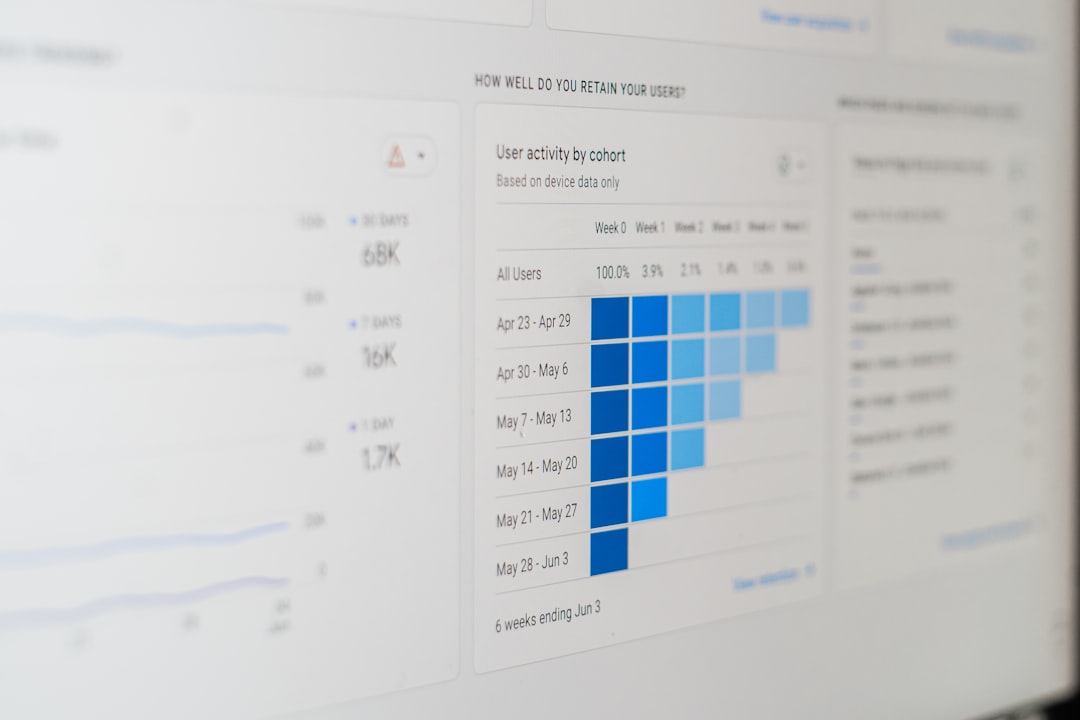
Customer expectations have changed dramatically in the digital era. Today’s consumers demand fast responses, personalized communication, and consistent support across multiple channels. To meet these growing expectations, businesses are increasingly turning to advanced customer support apps that streamline communication, automate repetitive tasks, and empower support teams to deliver efficient, high-quality service.
TLDR: Customer support apps help businesses manage queries faster and more effectively through automation, omnichannel communication, and smart ticketing systems. These tools improve response times, centralize conversations, and provide valuable insights through analytics. Popular platforms like Zendesk, Freshdesk, Help Scout, Intercom, and Zoho Desk offer unique features tailored to different business needs. Choosing the right app depends on company size, budget, and support goals.
From startups to global enterprises, organizations are adopting help desk and customer support software to simplify workflows and improve customer satisfaction. The right app not only organizes incoming requests but also ensures that no query falls through the cracks.
Why Customer Support Apps Are Essential
Modern customers interact with businesses through multiple channels: email, chat, social media, phone, and even messaging apps. Managing these touchpoints manually can quickly become overwhelming. Customer support apps centralize conversations and provide structured systems that improve efficiency.
- Centralized Communication: Consolidates messages from various channels into one platform.
- Improved Response Time: Automated routing and canned responses reduce wait times.
- Better Organization: Ticketing systems prioritize and categorize requests.
- Data Insights: Analytics help teams refine their support strategies.
- Automation: Chatbots and workflows handle repetitive tasks.
Without proper tools, support teams risk delayed responses, fragmented communication, and dissatisfied customers. With the right software, they gain clarity, speed, and measurable performance improvements.
Key Features to Look For in a Support App
Not all customer support apps are created equal. While features vary, the most effective tools typically include the following:
- Ticket Management System: Automatically converts queries into trackable tickets.
- Omnichannel Support: Integrates email, live chat, phone, and social channels.
- Automation and AI: Chatbots, auto-assignments, and suggested responses.
- Knowledge Base Integration: Self-service portals for customers.
- Analytics and Reporting: Tracks KPIs like resolution time and customer satisfaction.
- Collaboration Tools: Internal notes and team tagging.

These tools reduce repetitive tasks and free up agents to focus on complex issues that require a human touch.
Top Customer Support Apps to Consider
Several platforms stand out in the competitive landscape of customer support software. Below is a comparison of some of the most widely used tools.
1. Zendesk
Best for scalable enterprise solutions.
Zendesk offers a powerful, customizable support suite with advanced automation, AI-driven bots, and detailed reporting. It’s especially suitable for large or growing organizations.
2. Freshdesk
Best for automation and affordability.
Freshdesk provides strong automation features, gamification for agents, and easy-to-use ticketing tools. It’s ideal for small to mid-sized companies seeking powerful features at competitive pricing.
3. Help Scout
Best for simplicity and ease of use.
Help Scout offers a clean interface and shared inbox system that makes collaboration straightforward. It’s a great fit for teams focused on email-based support.
4. Intercom
Best for conversational support and live chat.
Intercom excels at proactive customer communication with real-time chat, automated messaging, and advanced chatbots.
5. Zoho Desk
Best for integration within business ecosystems.
Zoho Desk integrates seamlessly with other Zoho applications, making it an excellent choice for businesses already using Zoho’s products.
Comparison Chart
| App | Best For | Key Features | Scalability |
|---|---|---|---|
| Zendesk | Enterprise solutions | Advanced automation, AI bots, analytics | High |
| Freshdesk | Affordable automation | Ticketing, gamification, workflow automation | Medium to High |
| Help Scout | Simple email support | Shared inbox, knowledge base, reports | Medium |
| Intercom | Live chat engagement | Chatbots, real-time messaging, automation | High |
| Zoho Desk | Business integration | Omnichannel support, AI assistant, CRM integration | Medium to High |
How These Apps Improve Query Handling
Customer support apps enhance efficiency in several measurable ways:
1. Automated Ticket Routing
Instead of manually assigning tasks, apps automatically route tickets to the appropriate department or agent based on predefined rules.
2. Self-Service Options
Knowledge bases and FAQs allow customers to resolve common issues independently, reducing ticket volume.
3. AI-Powered Assistance
AI bots answer simple inquiries instantly and gather crucial information before escalating to a human agent.

4. Centralized Communication
Teams avoid switching between different platforms, ensuring complete conversation histories are available in one place.
5. Performance Tracking
Managers can monitor response times, resolution rates, and customer satisfaction scores to improve team performance.
The Role of Automation and AI
Automation has become one of the most transformative features in customer support apps. AI-driven tools can:
- Detect sentiment in messages.
- Suggest relevant responses to agents.
- Automatically categorize tickets.
- Provide predictive analytics for peak times.
By leveraging automation, businesses reduce manual workloads and minimize human error.
Choosing the Right App for Your Business
Selecting the best customer support app depends on several factors:
- Business Size: Large enterprises may require scalable, customizable solutions.
- Budget: Smaller teams may prioritize cost-effective tools.
- Support Channels: Companies offering live chat need robust real-time messaging features.
- Integration Needs: CRM and marketing integrations may be essential.
- Customer Base: High-volume operations need strong automation.

Before committing, businesses should test platforms through free trials and assess onboarding ease.
Best Practices for Maximizing Support App Effectiveness
Installing software alone does not guarantee better results. Organizations must implement best practices, including:
- Regular Training: Keep agents updated on new features.
- Clear Workflow Rules: Define ticket routing processes.
- Updated Knowledge Base: Maintain accurate self-service resources.
- Data Analysis: Use reports to refine strategies.
- Customer Feedback Loops: Collect and analyze post-support surveys.
Continuous optimization ensures that the software remains aligned with evolving customer expectations.
The Future of Customer Support Apps
Looking ahead, customer support apps are expected to become even more intelligent. Predictive support, deeper CRM integration, advanced personalization, and voice AI are likely to redefine the support landscape.
Businesses that invest in adaptive, AI-driven platforms will stay ahead of competitors by delivering faster, more accurate, and more satisfying customer experiences.
Frequently Asked Questions (FAQ)
1. What is a customer support app?
A customer support app is software designed to help businesses manage, track, and respond to customer inquiries through centralized ticketing systems and communication channels.
2. How do customer support apps improve response time?
They automate ticket routing, provide canned responses, integrate chatbots, and centralize communication, reducing delays caused by manual processes.
3. Are customer support apps suitable for small businesses?
Yes. Many platforms offer scalable plans and affordable pricing tiers tailored for startups and small teams.
4. Can these apps integrate with CRM systems?
Most modern support apps integrate with popular CRM systems, enabling seamless data sharing between sales and support teams.
5. What is the difference between help desk software and live chat tools?
Help desk software focuses on ticket management and multi-channel support, while live chat tools emphasize real-time conversation. Many modern apps combine both functionalities.
6. Do customer support apps use artificial intelligence?
Yes. Many platforms incorporate AI for chatbots, sentiment analysis, smart routing, and predictive insights.
By integrating the right customer support app into daily operations, businesses can drastically improve how they handle queries, strengthen customer relationships, and build lasting trust in an increasingly competitive marketplace.