
Network forensics is like being a detective in a city made of wires, signals, servers, and sneaky digital footsteps. Sometimes that city is built with real cables and boxes. Sometimes it lives inside software, clouds, and virtual machines. The job is the same: find out what happened, when it happened, and who did it.
TLDR: Physical network forensics studies traffic and evidence from real hardware, like switches, routers, cables, and physical servers. Virtual network forensics studies traffic inside software systems, like virtual machines, cloud networks, and containers. Physical networks are easier to touch, but harder to scale. Virtual networks are flexible and fast, but evidence can vanish quickly if you blink.
The Big Idea
Think of a physical network as a real road system. Cars drive on roads. Traffic lights control them. Police can stand on a corner and watch.
Now think of a virtual network as a video game city. The roads still work. Cars still move. But the roads are made of code. They can appear, disappear, or change shape in seconds.
That is the main difference.
In physical network forensics, investigators collect data from actual devices. They may inspect a router. They may copy logs from a firewall. They may capture packets from a network tap.
In virtual network forensics, investigators collect data from software-defined places. They may inspect a virtual switch. They may review cloud logs. They may take a snapshot of a virtual machine.
Both worlds have clues. Both worlds have suspects. Both worlds can be messy.
But the mess is different.
What Is Physical Network Forensics?
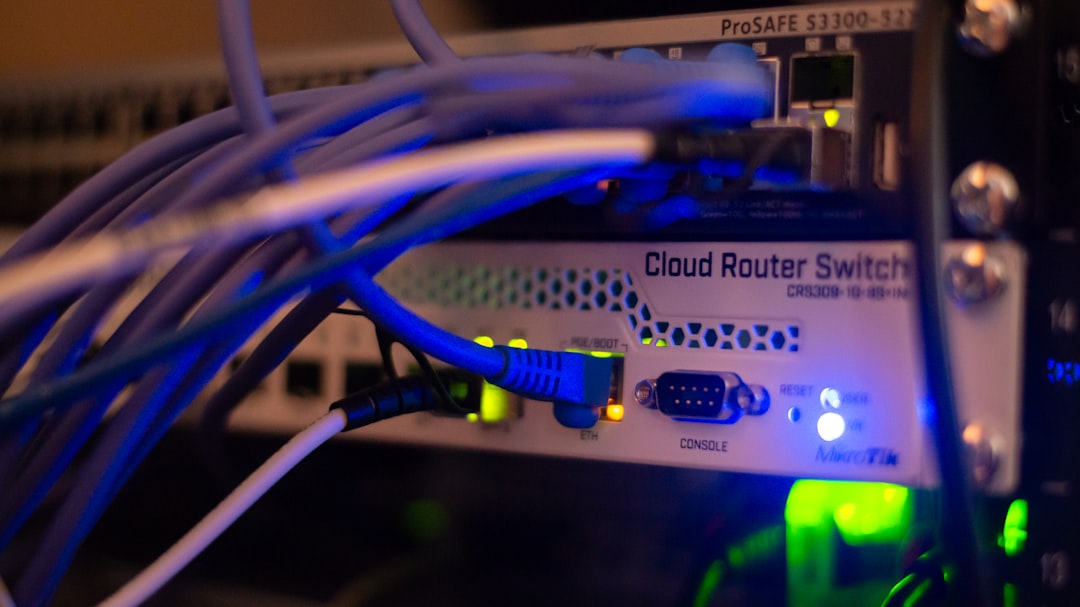
Physical network forensics focuses on real equipment. You can usually point at it. You can unplug it. You can label it with a sticky note that says, Do not touch, evidence.
This includes:
- Routers that move traffic between networks.
- Switches that connect devices inside a network.
- Firewalls that block or allow traffic.
- Network taps that copy traffic for monitoring.
- Physical servers that host apps and data.
- Cables that carry network signals.
Investigators often capture packets. A packet is a tiny piece of network data. It is like a postcard. It has a sender. It has a receiver. It has content. Sometimes the content is encrypted. Then the postcard is inside a locked box.
Physical forensics can feel very solid. The gear exists. The logs exist. The rack exists. The blinking lights exist. This can be helpful in court or in an internal investigation.
There is also a clear chain of custody. Someone can document who touched the device. They can take photos. They can seal drives in bags. It feels like a crime show, but with more cables and fewer dramatic sunglasses.
What Is Virtual Network Forensics?
Virtual network forensics focuses on networks created by software. These networks may run inside a data center. They may run in a public cloud. They may run across many regions at once.
This includes:
- Virtual machines, also called VMs.
- Virtual switches that connect VMs.
- Cloud networks like virtual private clouds.
- Containers that run small app parts.
- Software-defined networking, or SDN.
- Hypervisors that manage virtual machines.
Here, the investigator cannot always grab a box. There may be no box. The server may be shared with other customers. The evidence may live in logs, snapshots, metadata, and flow records.
Virtual systems move fast. A virtual machine can be created in one minute. It can be deleted the next. A container can live for only seconds. That is fast. Very fast. Rabbit on espresso fast.
So virtual forensics needs speed. It also needs automation. If evidence disappears quickly, tools must collect it quickly.

Difference 1: Where the Evidence Lives
In physical networks, evidence often lives on devices. A firewall may have logs. A switch may have port data. A server may have packet captures. A storage drive may contain files.
In virtual networks, evidence often lives in platforms. A cloud provider may store flow logs. A hypervisor may store events. A container platform may store activity records. A snapshot may show the state of a system at one moment.
This matters a lot.
With physical evidence, you may collect from a known device. With virtual evidence, you may need access to the management layer. That layer controls the virtual world. It is like the game engine behind the game.
If an attacker controls the management layer, things can get spicy. They may change logs. They may delete snapshots. They may create fake systems. The investigation becomes harder.
Difference 2: Visibility
Physical networks have clear paths. Traffic usually passes through switches, routers, and firewalls. You can place sensors at key points. You can watch the traffic flow.
Virtual networks can hide traffic inside a single physical host. Two virtual machines may talk to each other without traffic ever touching the physical network. That means a normal physical sensor may miss it.
This is called east-west traffic. It means traffic moving inside the environment, not leaving it. Attackers love this. They can move sideways between systems while staying quiet.
To see this traffic, investigators need virtual sensors. They may need logs from virtual switches. They may need cloud-native monitoring. They may need endpoint data from each VM or container.
In simple words: if the action happens inside the magic box, you need eyes inside the magic box.
Difference 3: Evidence Can Change Faster in Virtual Systems
Physical devices usually last a while. A server sits in a rack. A router stays in place. Even if it crashes, its disks may remain.
Virtual systems are more slippery. A VM can be cloned. A container can be destroyed. A cloud instance can be rebuilt from a template. Logs can rotate quickly. Temporary storage can vanish.
This makes timing very important.
Investigators should collect evidence as soon as possible. They should preserve:
- Cloud activity logs.
- Network flow records.
- VM snapshots.
- Container images.
- Memory dumps, if possible.
- Access records and identity logs.
In virtual forensics, the best clue may be gone by lunch. So do not wait until snack time.
Difference 4: Control and Ownership
In a physical network, the company often owns the hardware. It can seize a device. It can pull a drive. It can shut down a port.
In the cloud, ownership is shared. The cloud provider owns the physical hardware. The customer controls the virtual resources. This is called the shared responsibility model.
That model is useful. But it can confuse investigations.
For example, a company may want raw disk access. The cloud provider may not allow it. A company may want logs from the physical host. The provider may not share them. This is often due to privacy, security, and multi-tenant design.
Multi-tenant means many customers may share the same physical hardware. One investigation must not expose another customer’s data. That would be very bad. Like reading your neighbor’s diary because you both live in the same apartment building.
Difference 5: Tools and Techniques
Physical forensics often uses classic tools. Investigators may use packet sniffers, forensic disk tools, port mirrors, and network taps. They may use hardware appliances for capture.
Virtual forensics uses many of those ideas too. But it also needs cloud and virtualization tools. Investigators may use:
- Cloud flow logs to see network connections.
- API logs to see who changed what.
- Snapshots to freeze a system state.
- Hypervisor logs to track VM activity.
- Container logs to follow short-lived workloads.
- Identity logs to trace user actions.
APIs are very important in virtual investigations. An API is a way for software to talk to software. In the cloud, almost every action has an API call. Create a server. Delete a disk. Open a firewall rule. Invite chaos. It all leaves traces if logging is enabled.

Difference 6: Scale
Physical networks can be large. Very large. But they are limited by hardware. You need racks, power, space, cooling, and patience.
Virtual networks can scale like popcorn in a microwave. One minute there are 20 systems. Then there are 2,000. Then there are 200 again.
This scale changes forensics. Manual work becomes painful. Clicking through dashboards is not enough. Investigators need scripts, alerts, search tools, and smart filters.
They also need strong time syncing. All systems should use the same clock source. If timestamps disagree, the story gets weird. It becomes like a mystery movie where every character owns a broken watch.
Difference 7: Chain of Custody
Chain of custody means proving that evidence stayed safe and unchanged. It answers simple questions:
- Who collected the evidence?
- When was it collected?
- Where did it come from?
- Who accessed it later?
- Was it changed?
In physical forensics, this may involve bags, labels, signatures, and secure storage.
In virtual forensics, it may involve hashes, access logs, signed snapshots, storage permissions, and audit trails. A hash is a digital fingerprint. If the evidence changes, the hash changes too.
Virtual chain of custody can be strong. But it must be planned. If everyone has admin access, evidence may be easy to question. Good permissions matter.
Which One Is Harder?
That depends.
Physical forensics can be hard because networks are noisy. There may be huge amounts of traffic. Old devices may have poor logs. Some systems may not support modern monitoring.
Virtual forensics can be hard because systems are temporary. Evidence may be spread across services. Access may depend on cloud roles. Logs may be disabled to save money. That is a dangerous choice. Saving pennies on logs can cost a treasure chest later.
So neither is “easy mode.” They are just different games.
How to Make Both Easier
Good preparation helps in both worlds. Do these things before trouble starts:
- Turn on logging. No logs means no story.
- Sync all clocks. Time matters.
- Store logs safely. Attackers may delete local logs.
- Limit admin access. Fewer keys means fewer mistakes.
- Practice investigations. Do drills.
- Document the network. Maps are your friend.
- Use alerts. Catch weird behavior early.
Also, know your environment. Know where traffic flows. Know who can change firewall rules. Know where backups live. Know how to take a snapshot. Know who to call at 2 a.m. Yes, someone always gets called at 2 a.m.
A Simple Comparison
- Physical forensics: Real devices. Real cables. More direct hardware access.
- Virtual forensics: Software networks. Cloud logs. Fast-changing systems.
- Physical evidence: Often stored on devices and disks.
- Virtual evidence: Often stored in platforms, APIs, and snapshots.
- Physical visibility: Sensors can watch key network points.
- Virtual visibility: Sensors must see inside virtual layers.
- Physical challenge: Hardware limits and large traffic volumes.
- Virtual challenge: Short-lived resources and shared control.
Final Thoughts
Physical and virtual network forensics are like two detective stories in the same universe. One happens in a city of metal boxes and cables. The other happens in a city of code, clouds, and vanishing machines.
The goal is always the same. Find the truth. Follow the traffic. Protect the evidence. Tell the story clearly.
Physical forensics gives you solid things to inspect. Virtual forensics gives you flexible systems to trace. Both need skill. Both need planning. Both need good logs.
So keep your sensors sharp. Keep your clocks synced. Keep your evidence safe. And remember: in network forensics, every packet has a tale to tell. Some just whisper from a cable. Others shout from the cloud.